Thousands of Photos scanned to digital, then what?

When you have a favorite photo to share, you can turn it into a poster board, a canvas bag, personalized greeting cards. What if you have hundreds or thousands of photos to share? After all, the reason you dug out your aging photo albums and shoe boxes of photos out of the closet and scan those photos to digital images is so you can view and share those old memories easily.

Below are 3 easy ways to share those years of happy memories:

1. Digital Photo Frame – These frames used to cost hundreds of dollars. Now, you can find large 15-inch digital photo frames for $100 or less. 8-inch frames can be had for less than $50. You can get plain frames that just displays your photos or sophisticated ones that also play videos, have motion sensors, turns into digital clocks when no one’s close by.

2. Photo sharing sites online – You can’t email hundreds of photos to your cousins across the country, but you can upload the photos online, then share a link to your online photo library. Some of the popular online photo sites are: Shutterfly, Flickr, Snapfish, and Photobucket. Your family from anywhere in the world can view the photos, even order prints.

3. Photo books – There are many online photo book creators. If you have a lot of photos, like hundreds, the one I recommend is Blurb.com for pricing. Pricing is similar when you are making a 20-page book. But when you go up to 100 pages, Blurb.com remains affordable ($48 for hardcover, additional pages is 20 cents). A page can fit anywhere from 1 to 10 photos. $48 gets you a coffee table book to display hundreds of photos, now that’s a good deal!

Recently, Shutterfly bought out MyPublisher, a popular photo book publisher. I expect the integration between your online photo library and producing a hard coffee photo book will become even easier.

There really is no excuse for you to hoard your family’s treasure of photos in the dark closet. Bring them out into the sun, get your photos scanned to digital images and share them with your friends and family using any of the suggestions above.

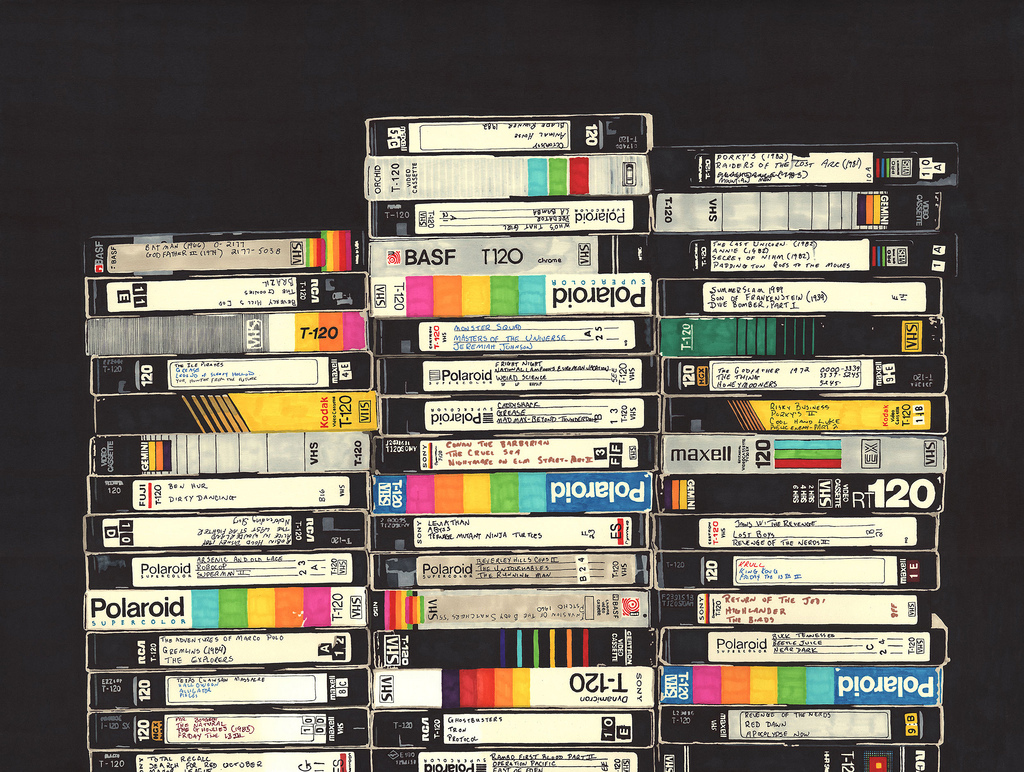
VHS to DVD – Can I turn that “Casablanca” VHS Tape to DVD?

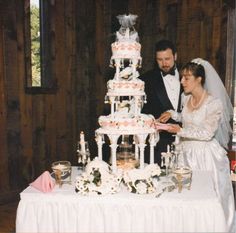
Most customers bring in their VHS tapes of their own personal memories and experiences. Weddings, family gatherings, their kids playing and learning together, just to name a few. Every so often, we will get an occasional customer who wants to digitize a commercial, Hollywood movie. They love the movie and want to continue watching it, but like many people nowadays, don’t own a VCR anymore.

So the big question is, is it legal to copy this type of commercial VHS tape to a DVD? If the answer “Yes” applies to all 3 criteria below, then it is 100% legal to digitize the VHS.

1. The VHS is not available on DVD. By this point a majority of well known movies are available on DVD. However, every so often you will find one that has not been converted and distributed on digital formats yet. There is a variety of reasons as to why. Maybe the movie is lesser known, or there hasn’t been a huge demand for the DVD version. Regardless, it is important to search online and offline to see if it is available. For example, did you know that Casablanca is not only available on DVD but comes in different versions that each have unique features such as a black and white version, a color version and a 70th anniversary version. Any of these versions could be found in the $20 price range, which is around how much you’d actually pay to transfer the VHS to DVD. For that same price, you’ll be getting the full studio-mastered DVD production with its graphic case insert.

Casablanca, and many other Hollywood films are already available on DVD

2. You actually own the VHS and you didn’t borrow it from a friend, taken if out of a library or borrowed it from the school you go to. The ‘Fair Use’ provision states that if you personally pay for something, you have the right to continue using it. Simply put, since technology has changed, and there are a limited number of VCR players available, you rightfully have the choice to change with technology so that you can continue viewing what you originally paid good money for.

3. You have decided to digitize your VHS tape for either personal or educational use. You’re not planning on turning your VHS tape of “Citizen Kane” or “Ben Hur” to DVD so you can sell it on eBay are you? That’s illegal and the main reason we can only make one DVD copy of your tape.
If you have answered “Yes” to all three conditions listed above, bring your tape over to us. Get your tapes digitized because VHS tapes degrade and become unwatchable.

Take a look at our official VHS to DVD copyright policy, you may find it helpful.

If you have any further questions about digitizing your tapes, feel free to give us a call at 617-332-3300. We look forward to hearing from you.

Photos to Digital – Photo Scanning Resolution Matters

When you decide to digitize your photos, there are a few options to consider first. Different types of photo scanners offer unique features which produce different results. It is important to understand them before you drop your pictures off at the Photo Scanning Center so that you get the scan quality that you want.

Using a scanner that is dedicated to scanning photos makes a huge difference. Do not purchase or use a document scanner that you may find at a Staples or other office supplies stores. These are usually used for scanning black and white text documents. A dedicated photo scanner will allow you to capture your photographs in their original detail and vibrant colors and will allow you to chose different scanning resolutions which will affect the overall quality and sharpness of the photo.

Each resolution is appropriate for different situations and intended use. The specific resolution you are using refers to the digitized photo’s DPI (Dots Per Inch). The DPI indicates the amount of pixels found on the digitized photos per inch. The higher the DPI, the more pixels in the image, and resulting in a bigger file size. More pixels give a more detailed image.

These are some of the most common DPI settings. At the low end of resolution and quality is 72 DPI. This resolution is suitable for online viewing. It results in a very small sized photo which is beneficial for sharing online with friends or sending through email but not for printing.

The next step up, 300 DPI, is used when you are printing your photos. Although printing is capable at this level, it still may not be as sharp as you’re hoping for.
600 DPI is also used for printing, but at a much clearer and detailed resolution. This is the standard for printing photos and suitable for enlargement. Photo labs typically charge extra for scanning at resolution because the process takes longer, but it’s worth it. Here at Play It Again Video, 600 is our default scanning resolution and we don’t charge extra for it.

The last commonly used resolution, but far from the maximum is 1,200 DPI. This is usually used for pieces of art made by professional artists. Any type of historic material like an old family document might be scanned at this highly detailed level.

Before you drop off your photos to be scanned, think about the different choices and which resolution fits best with the outcome you are trying to achieve. It is important that you choose at least 300 DPI, but preferably 600 to get a sharp and clear result. The most important thing to find out from the scanning center is that they are using a dedicated photo scanner instead of an auto-feed document scanner.

VHS to Digital – How to get rid of old VHS tapes after transferring to DVD

After you transfer your VHS tapes to DVD or to computer files, what to do with those space-consuming boxes of old video tapes?Most of our customers digitize their VHS tapes so they can toss those bulky tapes out.

Before you get rid of your tapes, check the DVD and computer files that replaced your tapes. Reputable video transfer service have quality checks when they transfer your old home movies, but you still want to make sure the DVDs or computer files work at home. You don’t want to find out those DVDs don’t work AFTER you discard your home movies.
Backup your DVDs or the portable hard drive your converted the VHS tapes to. In a sense, the old video tapes acted as a backup in case your DVD discs break or the hard drive crashes. But you won’t have that backup anymore if you throw them away.

When you are ready to dispose of your video tapes, you have several options:

1. Sort through your tapes for rarities, e.g. Gone with the Wind, Charlie Chaplin and put them on eBay or Amazon marketplace. You won’t find a big demand for them but the occasional collector do seek out these classics on tape for one reason or another.

2. Next stop is the nearby thrift store or local library. They may still take commercial tapes like Hollywood movies or how-to videos. You will be surprised how many senior citizens out there are still holding on to their VCR players.

3. Offer your VHS tapes to Freecycle and hope someone wants them.

4. At Recycle This, some suggested making scarecrows with the fluttering, black tape to scare birds out of your garden. The plastic housing can be tossed into your standard recycle bin.

5. If nobody wants your tapes, contact Green Disk. They will dispose of your outdated electronics including VHS tapes for $6.95 for a 30 pound box – that’s a lot of tapes.
Whatever you do, don’t just trash them and add to the landfill. The contents of CDs, DVDs, VHS and more can be toxic to the environment and the plastic casing can take hundreds of years to decompose.

“A good planet is hard to find” – motto from GreenDisk.

Photos to Digital – 5 Cool Things to Do with Your Photos

Here are 5 websites (3 of them free) where you can turn your photos into cool creations your friends and family will not believe you made yourself.

1. At Big Huge Labs there are a variety of different ways to take your photos and turn them into something extraordinary. You can add all kinds of effects to your photo, from changing it to black and white or by making it look like a photo sketch. One of the most unique features at this site are the different things that can be done to the photo beyond changing the effects. You can turn your photo into a customized jigsaw puzzle, put your photo on a badge that says FBI, or make trading cards with your photo on them to swap with your friends. Besides photo editing tools, Big Huge Labs offers other services such as a word processor, information about the World’s best cameras and a random photo generator of photos that other users have created. Best of all, it’s free!


2. Animoto,another awesome free website, combines your memories into a video that will never be forgotten. At Animoto, you can combine photos and video clips into a beautifully made video with custom music and in a style of your choice. Now, in case you are not experienced with computers, don’t get overwhelmed, the process is very simple. Once your photos are digitized, all you have to do is upload the pictures to the website, choose a song to play through the video, and finally pick a style for the video. There are many styles, which can be anything from a simple black background to beautiful seasonal scenery. You can even add text to specific parts of your video in a customized font which can break the collage into categories, or add titles to your old photos and videos.


3. One of the most effective ways to improve a photo that you took is to crop it properly. At Cut My Pic, a free photo editing website, they have dedicated a site to that exact purpose. Cropping makes a regular photograph into something that looks professionally taken with perfect borders surrounding what is featured in the photo. It can make a photo that was taken by a child into something that could have been taken by a professional and is ready to be framed. Cut My Pic also offers other photo editing tools like corner rounding, tone changing, and adding drop shadows. There is even an app for it if you are an iPhone user!


4. Do you have old photos just laying around that you want to do something with? Or maybe you feel that a certain set of photos deserves a better home instead of a typical, boring photo album. With My Publisher, you can finally give these photos the attention that they deserve. You can take photos of your baby, or of a vacation you’ll never forget and publish them into a beautiful photo book that is customized to your style and preference. The best feature of the process that this website offers is how simple it is to create an impressive and long-lasting collection of your most important memories. Once you have digitized your photos, it’s up to you how you want them to appear in the book. You can add words and artwork, making certain pictures stand out in different ways. This service, although not free, is well worth the small price it takes to have your memories stored in a unique, organized, and breath-taking way.


5. Have you ever seen a life-size cutout of a popular movie star or pop culture icon? This is one of the many different services that Photo Cutouts offers. Cutouts are custom made photo sculptures created from a simple photograph. In additional to the commonly seen life-size cutout, you can make key chains, ornaments, magnets and even wall mounts from a portion of a photo such as someone’s face, or the entire photograph. The owner, Al, who has retired from 30 years as an IBM field service technician describes his business as an extreme photo service. He has a genuine love for photography and says that his cutout business feels like it’s not even work, it’s just plain fun!


There are no limits on what can be accomplished with your photos. You can crop them to make them look more professionally taken, add effects, create Christmas ornaments from them, make a slide show or a photo book. Many of these fun and amazing services are free to use, however the ones you pay for are definitely well worth the money!

8mm to DVD Transfer – 4 Questions for you

8mm to DVD transfer seems pretty straightforward. However, there are actually a number of options to think ahead before you show up at the film transfer lab.

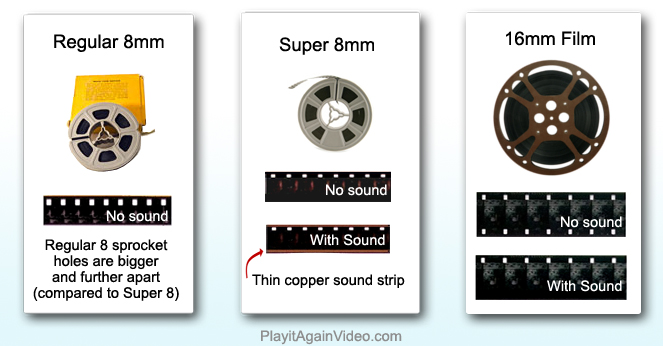
1. Background music - Most 8mm film is silent. There are some Super 8 film with sound, but the VHS came out very soon after Super 8 sound film, so it’s quite uncommon to find film with sound. Many customers ask to put background music as they anticipate the stroll down memory lane. Still, some customers prefer the silence – more authentic. That’s how they remember watching the film decades back with their family – in silence.

2. Leader between reel - If your film are in 50-foot reels, which are about 3 inch in diameter, the reels will be spliced together into one big reel. That’s because each 50-foot reel is only 3 minutes in length, it is not practical to put each reel on a CD. The choice you need to make is if you want a leader between the reels when they are spliced together. A leader is about 5 seconds of whiteness that separates the individual reels. Some customers like the leader because it tells them when one reel ends and when the next reel starts. Some customers find it annoying that there’s 5 seconds of snow every 3 minutes. We recommend no leader.

3. Sequencing - How do you want your film sequenced? Because the film reels are spliced into one DVD, how the film is sequenced matters. For some of you lucky people whose parents or grandparents labelled the film reels with dates, take the time to sequence them by date so what you watch is chronological. If the film reels have no labels, look for clues – postage dates, etc.

4. Transfer to DVD or transfer to a portable hard drive? I’ve seen customers labor over this choice at length. Here’s the simple answer, if you only want to watch your film, choose DVD. If you have plans to edit your videos, choose the portable hard drive. Please consult this post for a more complete discussion on transferring to DVD or hard drive .

If you are not sure what’s on your 8mm film, call and reserve our film viewing station.

Photo Restoration

Here at Play it Again Video, a photo scanning lab in Newton, we have so much fun with our photo restoration service. It’s like magic how we can transform a stained, faded, ripped photo into a vibrant wedding couple again, or remove the yellowish tinge that coats old photos and make the faces pop up again. Then there’s the extra fun projects of restoring hair, taking off 30 lbs, or swapping heads. You know how you like the face in Picture A but like the body in Picture B, that’s swapping heads. We also alter history by adding an out-of-town Uncle in a family photo. After you’ve worked here a while, and helped customers with their photo restoration/alteration requests, you’ll never trust the photos you see at face value anymore. Ok, that’s beside the point, I digress, sorry.

My point is that, if your precious photo is ripped, or torn, or you spilled coffee on it, or someone folded a deep crease on it, don’t despair. We can make it like new again, examples below.


Photo Restoration - Age Stain
Photo Restoration Damage Stain
Photo Restoration Torn Ripped
Photo Restoration Add Color


Before you can restore your photos, you need to first turn your photo to a digital format. Click here for Photo Scanning Services in the Greater Boston area.

VHS to DVD – Waiting for Prices to Drop

I am often curious what triggers families to finally take that step to transfer their aging old home movies media. So when a customer came in today with a box of VHS tapes to transfer to DVD, I asked.

Her explanation was different from the usual ones I’ve heard. She said, “Well, I thought that if I wait, the price to transfer VHS to DVD will drop, but since I checked 10 years ago, video transfer prices actually went up.”

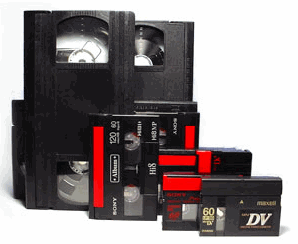
Even if prices will drop, the best time to get the best, sharpest transfer quality from your VHS/VCR tapes, 8mm, miniDV tapes is: Yesterday. Because VHS/VCR tapes have a shelf life. But for her, more importantly, video to digital transfer prices actually do not drop, they only go up. Here’s it will cost you a lot more to transfer your home movie tapes to DVD or to computer files the longer you wait.

Reason #1 – Video transfer equipment is becoming less and less available.  Already, certain types of transfer equipment that our labs prefer – the 8mm tape player walkman, for example, have stopped production.  Our lab manager had to scour the web for stores that might still carry it as we can no longer purchase them from the manufacturer.

Reason #2 – With age, one of several bad things can happen to your VHS tape: the tape ribbon becomes fragile with age and can detach from he plastic housing, tear, ripple.  If that happens, your VHS to DVD transfer cost will not be a mere twenty something dollars.  It costs $25 to $45 to repair a tape – assuming it can still be repaired.

Reason #3 – Editing costs required to restore image quality.    It is more than tongue-in-cheek that professionals refer to the VHS tape as a ‘Ribbon of Rust“.  The iron particles on the magnetic tape shift with time, subject to the  magnetic forces around it, including the Earth’s natural magnetic fields.  Over time, static lines, and noise drop-outs appear.  It is very expensive to restore this kind of video, if at all possible, to its original quality.
Video Transfer Newton
Reason #4 – Fewer video transfer labs.  As the supply of old audio/video media dries up, fewer and fewer businesses will be around to offer video transfer services.   A few years ago, it is common to find video transfer services at photo labs stores.  Where are the photo labs now?  They are all gone.  Almost overnight, you went from finding a video transfer service in every city, to finding only a few in the state.

Reasons #5 – Increased Labor.   As fewer and fewer video transfer labs exist, you will find fewer and fewer experienced video transfer technicians.  You know what happens when a service becomes ‘niche’, it becomes more expensive, not cheaper.

So, you can be 100% sure, that while waiting may serve other purposes, it will not save you money.  The cheapest time to transfer your VHS/VCR tapes to DVD is also: Yesterday.  If you live near Newton, MA, you can call us, we are still around.  We plan to be the last one standing, to rescue that last VHS tape out there.


6 Bad Things that Can Happen to Your VHS Tape

It is no secret that VHS/VCR tapes have passed their prime in the audio-video timeline, but you might still be holding on to the nostalgia or just have been too busy to transfer your home videos over to DVD. After all, it isn’t like a VHS tape has an expiration date, right?

Wrong. VHS Tapes do have a shelf life. Here are six bad things that can happen to your vhs tapes.

VHS Tape mold1. Mold
Very few families would suspect that what looks like a chunk of plastic could be a breeding ground for mold. Spots with white powder or dust could be destroying your cherished memories and videos as you are reading! A touch of mold powdering can be cleaned from VHS tapes, but if not caught soon enough it becomes thick white confectioners-sugar-like coating on your magnetic tape ribbon. If that happens, you will not find a video transfer lab that would be willing to risk their equipment to run your tapes to convert them to DVD.

2. Tape Warping
Extreme temperature changes over time can cause serious damage and warping to the magnetic ribbon in the video tapes. Warping causes image disruption and static noise. Beyond a point, the tape ribbon is too warped to run smoothly in the tape player.

3. Sticking
Along with extreme temperature changes air quality can be a major factor in your VHS memories’ shelf lives! Humidity can be the kiss of death for your recorded wedding vows, causing the tape in VHS housing to stick together. Over the years, we have received a couple of hockey pucks that were once loose reel of tape.

4. Tape Detaches from Housing
Tapes become fragile with time. Over the years, the multiple rewinding takes a toll on the tape and its housing case! There is a chance that the tape could detach from the housing making it impossible to rewind and watch your favorite family memories and firsts. This one is actually easily reparable. Most video transfer lab has knowledgeable technician that has the fine tools to unscrew the housing, re-attach the tape the the mechanism and screw it back again. Once repaired, transfer it immediately.

5. Housing Cracks or Housing Mechanism Jams
If you had children or were a young child in the VHS era, you might remember the beating your old VHS tapes have taken over the years. They have been dropped, thrown, and stepped on – ok, your family home videos probably didn’t receive the same treatment as the kids’ favorite Disney movies. Still, simply watching, rewatching, and rewinding puts wear and tear on the housing case of your VHS tapes. It’s not indestructible. A cracked case could jam the housing mechanism, causing it to jam in the player.

6. Shredded Tape

VHS video tape is fragile and with temperature changes, humidity, and wear and tear the tape can tear. Needless to say, once your video tape is shredded it is beyond the point of repair and your recorded memories have “gone with the wind”.

Even though your VHS has no expiration date printed on it, you can see how it definitely has a shelf life. Your cherished memories could be lost due to a number of reasons. So what is that shelf life? 10 years? 20 years? VHS tapes stopped being used in the 90s. Time flies when you are not watching it. This is the year 2013, which makes your tapes are likely to be 15-20 years old. And the best time to transfer your VHS/VCR tapes to DVD or to other digital format? Yesterday. Don’t wait any longer, your kids and their kids are counting on you to safe their family home movies.

Video Transfer Service – 7 Warning Signs

Have you found decades-old 8mm or 16mm film reels in your grandparents’ attic? There are precious family memories in those film reel cans – perhaps your dad as a toddler, or your grandmother who is long gone, or maybe the 1960’s car your father drove …

Before you hurry to the video transfer lab to convert your old film to DVDs, be aware of seven warning signs to look for in a video transfer lab.

Red Flag #1 – The work is not done in-house. Even if the lab is a brick and mortar store, because of the complexity of film transfer, some labs outsource the work and ship the film out, so make sure to ask. If you are not comfortable having your 8mm or 16mm film packed, shipped, choose a lab that does the work in-house.

Red Flag #2 – Disorganized work space – Look around the store, does everything look organized and in-place or is the trash can spilling over? Is each separate family’s order stored in clear, marked bins to minimize mix-ups and loss or are they piled up on counter tops in a disorganized fashion?

Red Flag #3 – Careless handling of film reels and tapes – Note how the technician handles your precious media. If they simply toss slides, film reels, tapes into a bin without much care, that’s a big warning sign. If they can’t even handle your home movies with care while you are still in their face, what do you think will happen when you are not there.

Red Flag #4 – Receipt of exact counts – you are not dropping off your drycleaning, leave 7 shirts and get 6 back situation. A shirt is replaceable, a VHS tape is not. So make sure the lab gives you a receipt stating the exact count of each type of media – VHS/VCR tapes, 8mm film reel, or audio cassettes – that you leave behind. If they brush you off with , “Don’t worry, we’ll take good care of it.” that’s precisely when you should worry. It suggests a lack of systems and procedures.

Red Flag #5 – Items not tagged with a unique ID – VHS tapes all look alike. Your 8mm film reel may have precious footage of your long-gone grandmother, but sorry, it looks just like the other hundreds of film reels in the lab. If the lab does not tag each item with some unique identification, how will they know if your tapes get mixed up with another family’s? If I choose not to run out of the store by then, I would insist they tag it while I’m there.

Red Flag #6 – Customers not asked to verify ownership at pickup – While you are waiting at the counter, try to observe how other customers come in to pick up their orders. Is their pick-up bag clearly labeled? Does the receptionist ask them to verify that the film reels or vhs/vcr tapes in the bag belong to them? Mix-ups can happen and the responsible, experienced video transfer lab has good habits like verifying ownership when a customer picks-up her order.

Red Flag #7 – Open beverage containers or trash bins – When coffee spills on your keyboard at work, at most, it costs you the price of a new keyboard. But, if a lab technician spills coffee on your VHS tape, or your childhood photos, you cannot replace it. So, although this sounds silly, trust me, if you see open beverage cups around in the lab, or unlidded trash cans, you ask them why they don’t take more caution with your precious, irreplaceable media.

Watch this entertaining video about how our Newton, MA video transfer lab does to protect your tapes and film reels against loss, damage and mix-ups: Do No Harm Video